
Build notes
Docknote: Your Private Meeting Intelligence
A field note on building meeting intelligence that keeps raw audio and private context under the user's control.
Now in early access alpha test
Audio stays on your Mac. Transcribed to text, on your Mac. The cloud computes on text, then wipes. Everything kept on your Mac.
How it works
Audio stays. Only text travels.
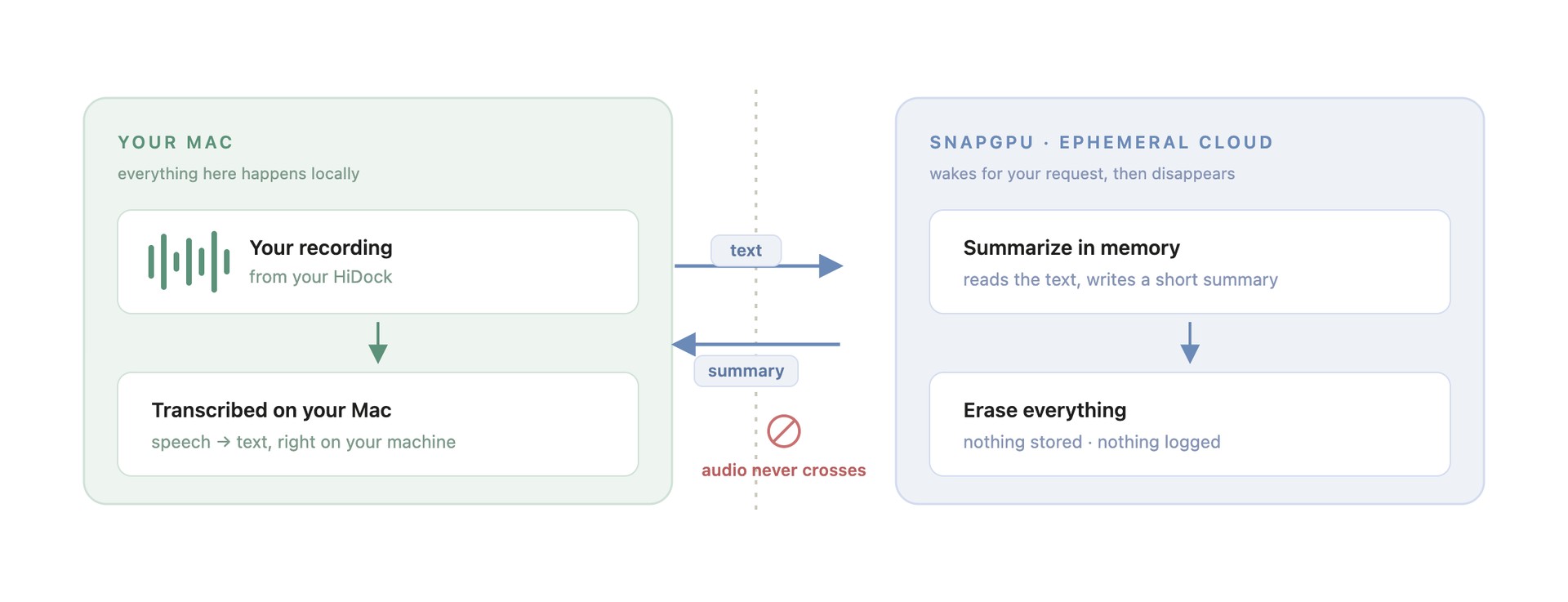
Audio is transcribed on your Mac; only text crosses to SnapGPU, which summarizes and erases it.
🔒
LOCAL TRANSCRIPTION
Your words never leave your Mac.
Recordings are transcribed right on your machine. The audio is never uploaded — not to transcribe it, not after.
☁️
SNAPGPU
Text only, and only for a moment.
To summarize, just the text goes to a cloud GPU that works in memory, hands the result back, then erases everything.
What you get
Three things, done well.
📝
A clean transcript
Every recording, with who spoke what and when.
📋
A short summary
The gist, the decisions, the next steps.
💾
Yours to keep
Everything stays on your device.
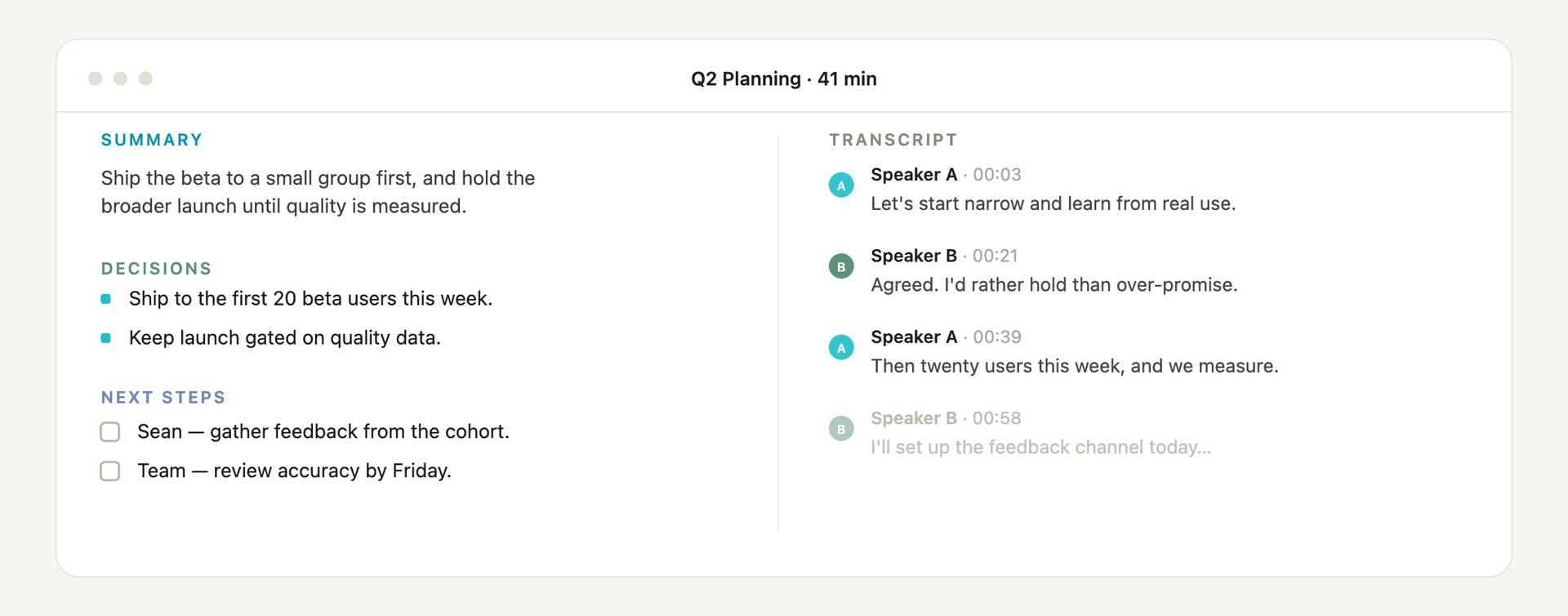
A Docknote note: a short summary on the left, a speaker-tagged transcript on the right.
A note on accuracy. Keeping your audio private means it’s transcribed by on-device models, which can trail the largest cloud models — so transcripts and summaries may contain errors. Please double-check anything that matters.
🛡️
Your conversations stay yours. Audio stays on your Mac. Only text crosses to the cloud — and only for the moment it takes to summarize.
Honest, because it’s an alpha
Some recordings transcribe more cleanly than others, and a summary is a helpful draft — not the final word. The AI never runs on its own; it does something only when you ask. If anything feels off, tell us.
Be early.
Help us build the version that’s actually worth keeping.
Mac with minimal 24G RAM · works with your HiDock